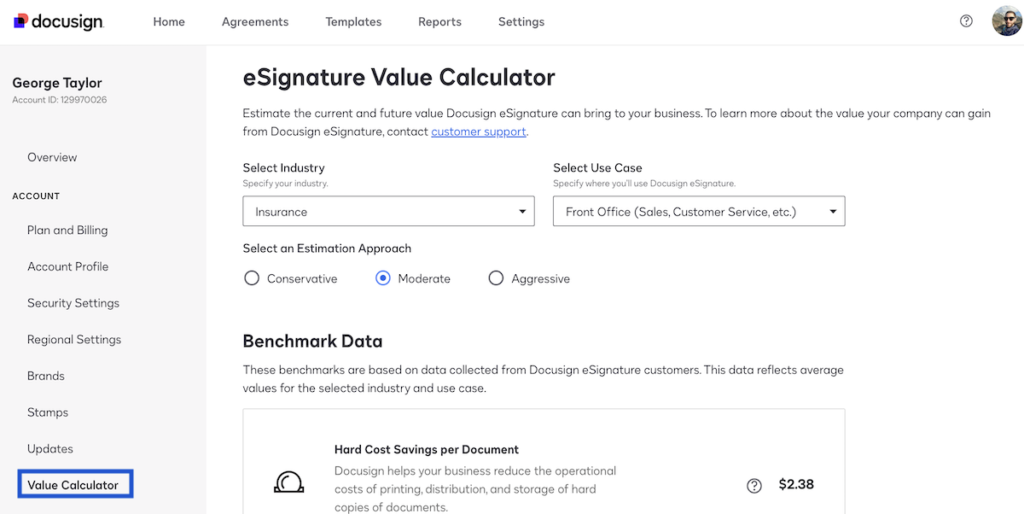

In today’s fast-paced digital world, efficiency is everything. From businesses managing contracts to freelancers handling client agreements, the need for secure, fast, and legally binding signatures has never been greater. DocuSign, a leading electronic signature platform, offers a powerful solution for signing, sending, and managing documents online. If you’re new to this platform, the DocuSign free trial is an excellent way to explore its features without committing to a paid plan. This article provides a comprehensive guide to the DocuSign free trial, its benefits, features, and tips for getting the most out of it.
What Is DocuSign?
DocuSign is a cloud-based electronic signature solution that allows users to sign documents online quickly and securely. With the platform, businesses, freelancers, and individuals can streamline document workflows, reduce paper usage, and save time by eliminating the need for physical signatures.
The platform is trusted by millions of users worldwide, including small businesses, Fortune 500 companies, and government agencies. Its security features, compliance with international regulations, and ease of use make it an ideal choice for modern digital agreements.
Why Consider the DocuSign Free Trial?
Trying a new tool before purchasing it is always a smart decision, and the DocuSign free trial provides exactly that. Here are some key reasons why the free trial is beneficial:
1. Explore Full Features Without Risk
The free trial gives you access to essential DocuSign features without committing to a subscription. You can test document uploads, electronic signatures, templates, and integrations with other apps.
2. Understand User Experience
By using the platform firsthand, you can determine if the interface and workflow match your business or personal needs.
3. Test Security and Compliance
Security is crucial when handling sensitive documents. The free trial allows you to evaluate DocuSign’s encryption, authentication, and compliance with e-signature laws like eIDAS and ESIGN Act.
4. Evaluate Integration Capabilities
DocuSign integrates with popular software such as Microsoft Office 365, Google Workspace, Salesforce, and Dropbox. The free trial lets you test these integrations to see if they fit your existing workflow.
Features Available During the DocuSign Free Trial
Even in the free trial version, DocuSign offers a robust set of features designed to enhance productivity and security. Some of the key features include:
1. Unlimited Sending and Signing of Documents (Limited Trial Version)
During the trial, you can send and receive documents for e-signatures. This includes contracts, agreements, NDAs, invoices, and more.
2. Customizable Templates
You can create templates for frequently used documents, allowing you to save time on repetitive tasks.
3. Mobile-Friendly Interface
The platform is fully optimized for mobile devices, enabling you to sign and send documents on the go.
4. Audit Trails
Every signed document comes with a detailed audit trail, helping you track every action taken on the document for legal and compliance purposes.
5. Integration with Popular Apps
Connect DocuSign to your preferred business tools to streamline document workflows. During the trial, you can test these integrations to ensure seamless operation.
6. Notifications and Reminders
Set automatic reminders for recipients, ensuring documents are signed promptly without constant follow-up.
How to Sign Up for the DocuSign Free Trial
Signing up for the DocuSign free trial is quick and straightforward. Here’s a step-by-step guide:
Step 1: Visit the Official DocuSign Website
Go to the DocuSign homepage and click on the “Free Trial” button.
Step 2: Create Your Account
Provide your name, email address, and create a secure password.
Step 3: Confirm Your Email
DocuSign will send a verification email. Click on the link to confirm your account.
Step 4: Explore the Dashboard
Once logged in, you can start uploading documents, creating templates, and sending your first electronic signature request.
Tips to Maximize Your DocuSign Free Trial
To get the most out of your trial period, follow these practical tips:
1. Upload a Variety of Document Types
Test different formats like PDFs, Word documents, and spreadsheets to ensure compatibility.
2. Experiment with Templates
Create reusable templates for common document types, saving time in the long run.
3. Test Mobile Functionality
Use the mobile app to send and sign documents on the go. This is especially useful if you frequently work remotely.
4. Explore Integrations
Connect DocuSign with apps like Google Drive, Salesforce, or Microsoft Office to test automation workflows.
5. Check Security Features
Verify the security options, including password-protected documents, two-factor authentication, and audit trails.
Benefits of Using DocuSign Beyond the Free Trial
After experiencing the free trial, you may decide to continue with a paid subscription. Here are some advantages of using DocuSign long-term:
1. Increased Efficiency
Eliminate the need for printing, mailing, and scanning documents. Signatures can be collected in minutes rather than days.
2. Enhanced Security
DocuSign provides bank-level encryption and adheres to global e-signature laws, ensuring your documents are secure and legally binding.
3. Cost Savings
By reducing paper usage, courier fees, and administrative tasks, DocuSign helps save both time and money.
4. Improved Customer Experience
Clients and partners can sign documents quickly and conveniently from anywhere in the world.
5. Compliance and Legal Assurance
DocuSign provides audit trails and compliance with major e-signature regulations, offering peace of mind for businesses.
Common Questions About DocuSign Free Trial
1. How Long Is the Free Trial?
The standard DocuSign free trial lasts 30 days, giving ample time to explore the platform.
2. Do I Need a Credit Card to Sign Up?
No, a credit card is not required for the free trial.
3. Can I Upgrade Anytime?
Yes, you can upgrade to a paid plan at any time during or after the trial period.
4. Are There Limitations in the Free Trial?
While the free trial provides access to most features, some advanced features such as bulk sending or advanced analytics may be limited to paid plans.
5. Is the Free Trial Suitable for Businesses?
Absolutely. The free trial is ideal for small businesses, freelancers, and even larger organizations to test the platform before committing.
Conclusion: Why the DocuSign Free Trial Is Worth Trying
The DocuSign free trial is a valuable opportunity to experience the full potential of one of the world’s leading electronic signature platforms. It allows users to explore powerful features, test integrations, and understand the security and compliance benefits before making a financial commitment.
Whether you are a freelancer, small business owner, or part of a large enterprise, the free trial gives you a firsthand experience of how DocuSign can streamline your document workflows, save time, and reduce costs. By taking advantage of this trial, you can confidently decide if DocuSign is the right solution for your e-signature and digital agreement needs.
In the digital age, time is money, and the DocuSign free trial helps you see just how much you can save by embracing electronic signatures today. Don’t wait—explore the trial, test its features, and discover how DocuSign can transform your document management process.